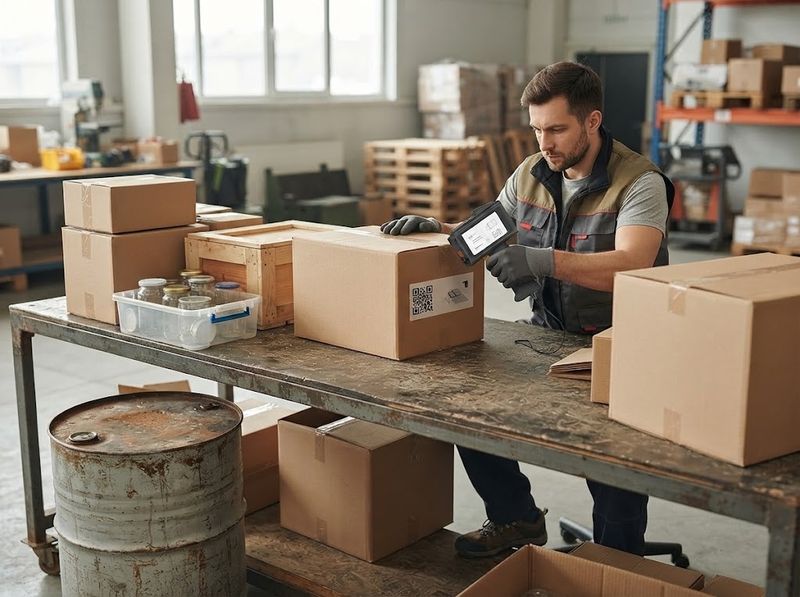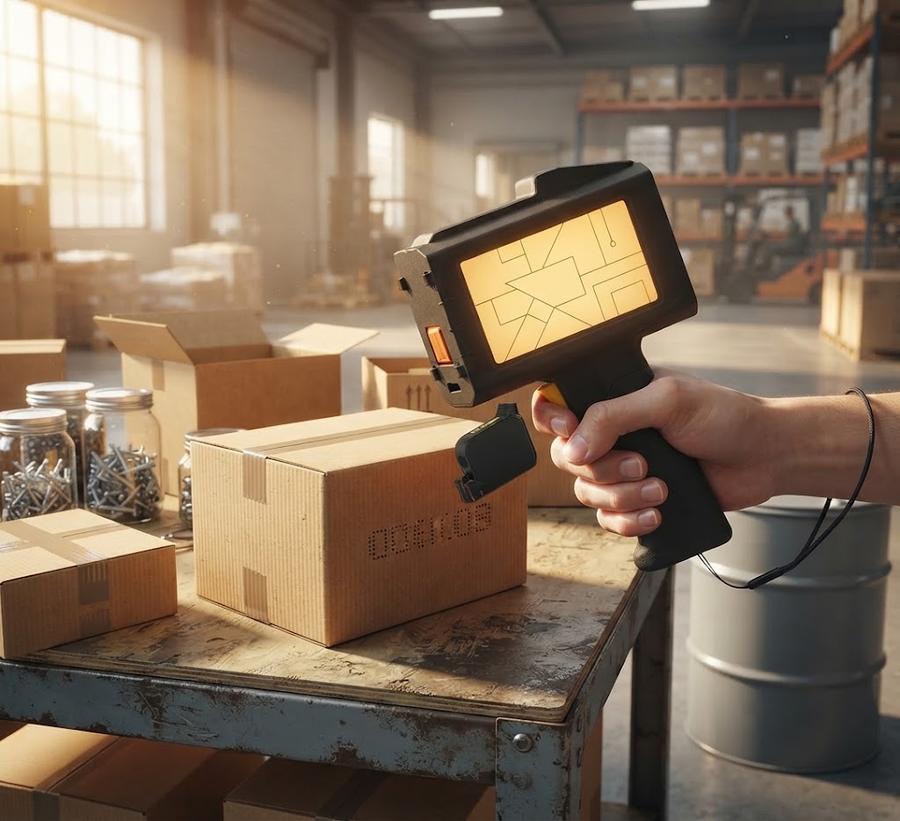
Operator marking a lot code onto a shipping carton at a warehouse packing bench

Handheld coding, no fixed line

EzyHand Handheld Inkjet Printer

Marking expiry codes by hand across curved bottles and cartons? The EzyHand H50 sprays them in one pass, rated 4.1 out of 5 by 37 buyers.

  • Prints on plastic, metal, glass, curved aluminum
  • 16+ hours of continuous marking per charge
  • 1-year printer warranty, every order
1 yearprinter body warranty
16+ hrsmarking per charge
2-5 secsolvent ink dry time
4.1 ★verified buyer rating

Start with the body or the bundle

The H50 printer body, the H05B fast-dry cartridge on its own, and the bundle that pairs the body with spare ink.

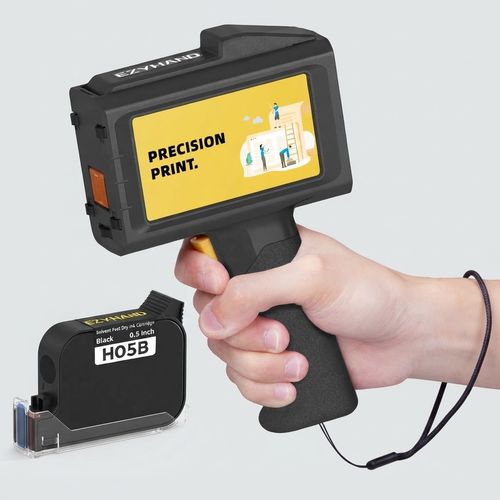
EzyHand H50 handheld inkjet printer, black body

EzyHand H50 Handheld Inkjet Printer

★ 4.1 (37 reviews)

Press the head against a curved aluminum drum, pull the trigger, and the lot code lands in one pass with no jig and no conveyor underneath it. Nozzles fire from a short standoff, which is why a shoulder curve takes ink as evenly as a flat panel. The 4.3-inch touchscreen holds your saved date field between shifts. A desktop inkjet needs a flat sheet fed past a roller and a wall outlet. This body runs off its own battery through a full shift and into the next. Rated 4.1 stars across 37 verified reviews, with a 1-year manufacturer warranty on the body. Check today's price on the printer-only kit.

  • Codes a curved drum and a flat carton in the same pass, on plastic, metal, glass, wood, or foam
  • Nozzles spray from a standoff instead of touching down, so a shoulder curve takes ink evenly
  • 1-year manufacturer warranty on the printer body, registered on arrival
Check price
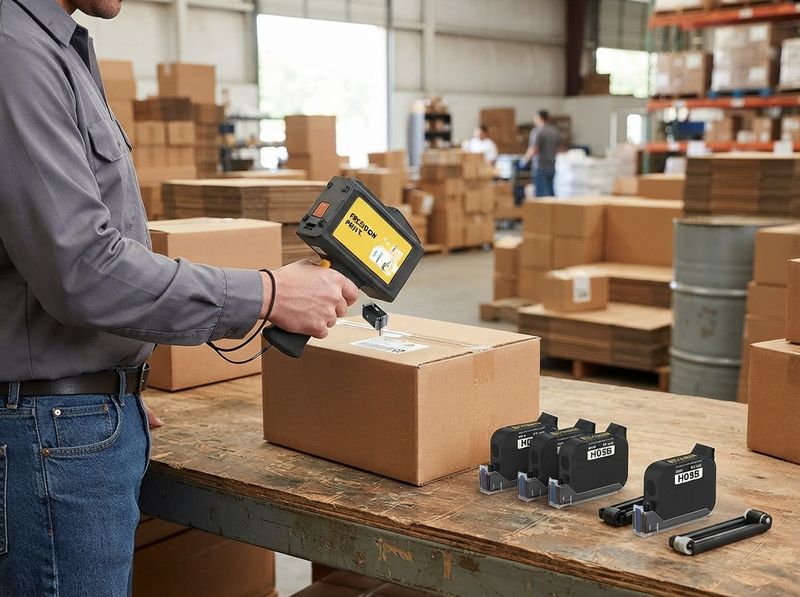
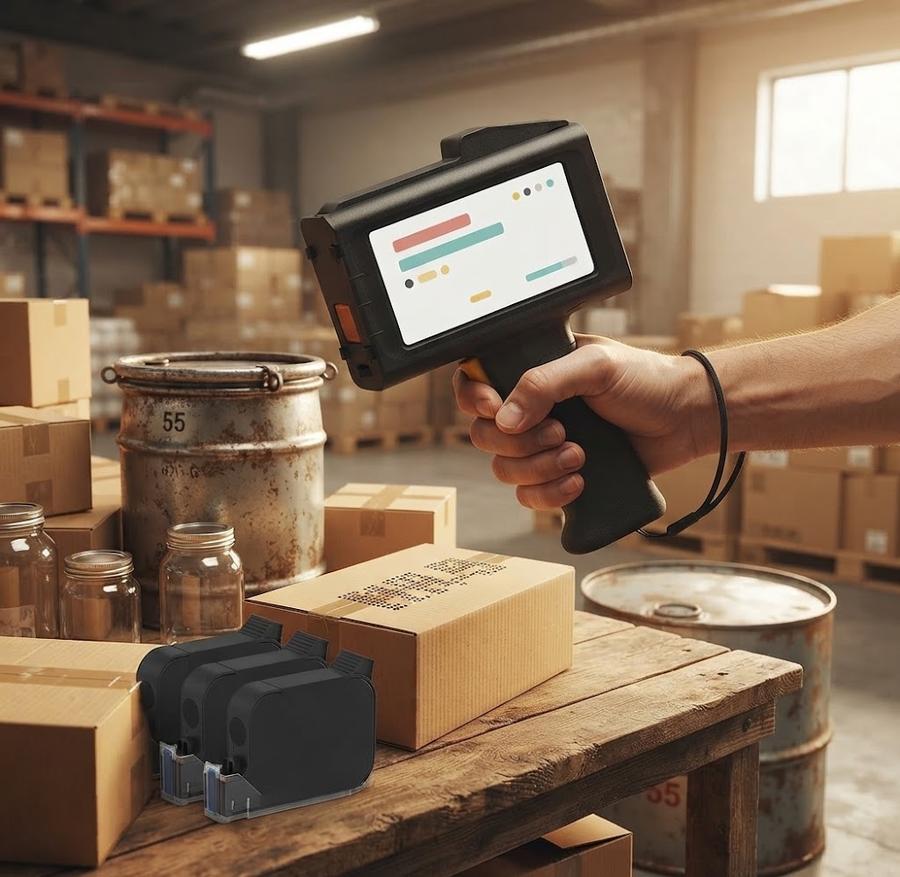
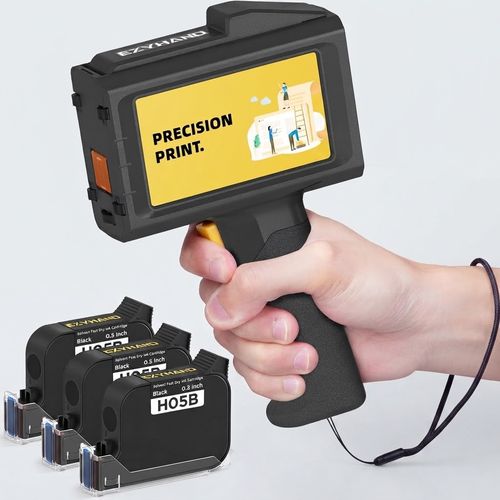
EzyHand H50 printer kit with three ink cartridges

EzyHand H50 Printer with 3 Ink Cartridges

Open the case to an H50 body, three sealed fast-dry cartridges, a roller guide, a metal positioner, a Type-C cable, and the manual. Three cartridges at 12.7 mm height cover a long stretch of carton marking before any reorder. The roller guide keeps a printed line straight across a wide panel. Where a printer-only order means chasing ink the week the first cartridge runs low, this case arrives with the spares already sitting beside the body. Flagship configuration of the handheld coder: the body covered for a year, each cartridge for three months. Check today's price.

  • Prints straight lines across a wide panel with the roller guide and metal positioner
  • Three sealed cartridges ship capped, so ink stays wet until the day one goes in
  • Arrives with spares in the case, unlike a printer-only order that chases ink later
See the 3-cartridge case
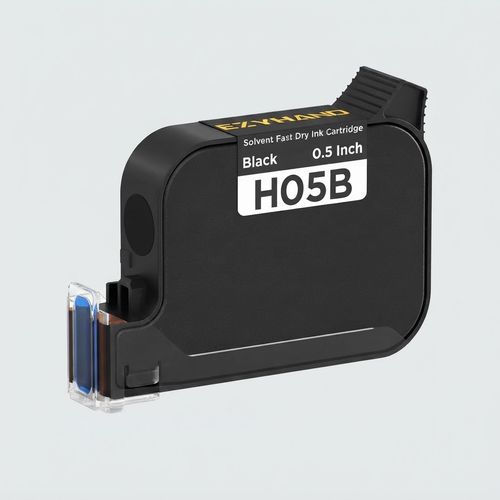
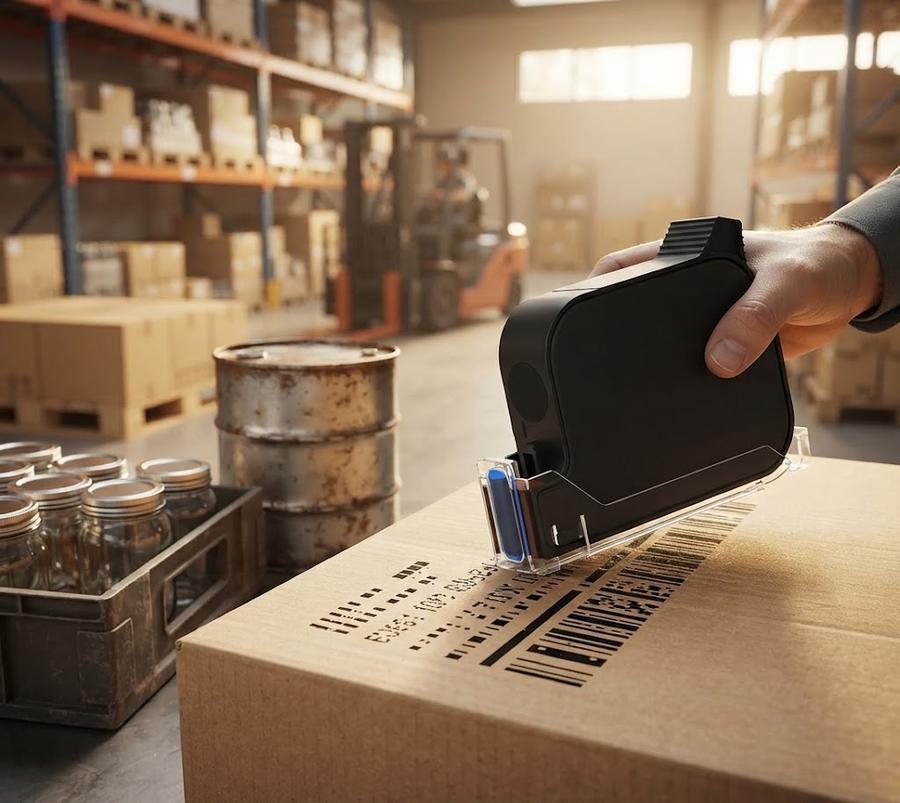
EzyHand H05B 42 ml fast-dry black ink cartridge

EzyHand H05B 42 ml Fast-Dry Ink Cartridge

★ 5 (1 review)

Code a glass jar shoulder, count to five, and the solvent ink has already set firm enough to handle without a smear. Forty-two millilitres of solvent carrier flashes off the surface instead of soaking in. Non-porous plastic, metal, and glass hold the print rather than beading it away. At 12.7 mm height one cartridge clears 35,626 barcodes or 103,636 QR codes. Drop to 2.5 mm date codes and the count runs past a million. This cartridge seats in the H50 body alone, so plan spares around that one printer. A 3-month consumable term covers it. Check today's price.

  • Clears 35,626 barcodes at 12.7 mm height, or past a million date codes at 2.5 mm
  • Solvent carrier flashes off non-porous surfaces in 2 to 5 seconds instead of soaking in
  • 3-month consumable term; seats in the H50 body only, so reorder by exact model
See the 42 ml cartridge

The Numbers Other Handheld Printer Pages Skip

Open the EzyHand spec sheet and four figures sit there in print: dry seconds, cartridge yield, nozzle count, and battery hours.

Figures published on the EzyHand spec sheet, with the source of each one.
FigureWhat it means at the benchSource
2-5 sec Mark a lot code on a curved bottle, then drag a thumb across it five seconds later. Stack that bottle into a case a minute after and the print still reads clean.Scan a competing spec line for dry time and the answer stops at the words quick-dry, with no second count attached. manufacturer spec
8 surfaces Run one cartridge over a plastic tote, then straight onto curved aluminum. The print holds across all eight listed surfaces with no head change.Count the materials named on a competing page and you stop at three or four, with curved metal left off the list entirely. manufacturer spec
1.1M date codes One 42 ml cartridge stamps a date code onto up to 1.1 million cartons at 2.5 mm height. That stretches a reorder cycle from weeks into a full production season.Look for a code count on a rival ink listing and you get lasts-a-long-time instead of a number you can plan a reorder against. manufacturer spec
16+ hrs Run an eight-hour shift of carton marking, then start a second shift on the same charge before the cable ever comes out.Check the battery line on a competing page and eight hours reads as the ceiling for a full day of marking, not the starting floor. manufacturer spec
1 yr / 3 mo Register the printer body the hour it lands, then file the cartridge on a line of its own, because the two coverage clocks do not run out together.Hunt through a feature comparison for a warranty line and it goes missing more often than not, never split between the body and the ink it burns. manufacturer warranty terms
300-nozzle head Switch from a small date code to a full logo mid-shift and the 300-nozzle head holds 600 x 600 dpi across both jobs.Read a competitor spec table top to bottom and nozzle count never appears, though the same page still claims high resolution. manufacturer spec
4.1 stars / 37 reviews Buyers running this printer through repeated weeks of daily carton marking still average 4.1 stars across 37 verified reviews, not a first-week score.Check the review count sitting beside a private-label coder rating and it rarely reaches this many verified buyers after months on sale. 37 verified buyer reviews

What the Spec Sheet Actually Backs Up

Press the EzyHand trigger against a drum, a bottle shoulder, or a shipping carton, and a spec-sheet figure stands behind each result.

01

Mark the Drum Where It Sits

Roll a 55-gallon drum into the bay and code it in place. Nobody lifts it onto a flat bed, and the code goes on before the forklift moves it out.

02

Skip the Three-Week Label Reorder

Print today's date straight onto the carton the morning it ships. A label roll ordered in March cannot carry an April lot code.

03

Runs on Battery Against a Curved Wall

A desktop inkjet takes a flat sheet in a tray and stays tethered to a wall outlet all day. Press this one against a bottle shoulder out in the yard, cordless.

04

Survives the Pallet Stack and the Truck Ride

Rub a coded carton after a warehouse shift. Rain on the loading dock beads off the print, and the lot number still scans at the receiving desk.

05

One Cartridge, 103,636 QR Codes

Mark QR codes at 12.7 mm height and a single 42 ml cartridge clears 103,636 of them before the reorder comes due.

06

Check Which Clock Runs on the Ink

Match the cartridge box against the printer carton the hour it lands, because the ink carries its own shorter coverage term. A spare bought in January can age out before it ever seats in the printer.

Ratings from the packing bench

Seven buyer accounts of the H50 in daily use, the four-star software gripe and the one-star failure included.

★★★★★

I use this for custom gift bags and small logos, and it's perfect. The built-in ruler helps keep lines straight, even on tricky surfaces. Super easy to use once you get the hang of it.

Marisol D.Verified PurchaseEzyHand H50 Handheld Inkjet Printer

★★★★★

I've tried many different printers and this one worked the best, and the first one I didn't have to return. Print quality is very good even on uneven surfaces, and calling their 1-800 number actually put me in contact with their technical support crew right away.

Grant W.Verified PurchaseEzyHand H50 Handheld Inkjet Printer

★★★★★

This handheld printer is really practical. The printed date size is just perfect. It works flexibly on curved surfaces without compromising print quality at all. Prints are always clear and reliable for daily use.

Priya N.Verified PurchaseEzyHand H50 Handheld Inkjet Printer

★★★★

Great handheld printer, label printout is very good. I give it 4 out of 5 stars as the internal software is a little tricky to use, and the instruction booklet is not as clear as it should be.

Tomasz K.Verified PurchaseEzyHand H50 Handheld Inkjet Printer

★★★★

Product stopped working within 6 weeks. Support was unresponsive for me. None of the ink cartridges I had bought were compatible. Waste of money.

Dwayne R.Verified PurchaseEzyHand H50 Handheld Inkjet Printer

★★★★★

So impressed with this printer. It is user-friendly, with sharp printing and a lightweight design that beats everything else in its class. I thought I would have to buy a USB drive myself, but when I contacted the seller for advice on which one to get, they were nice about it and just sent me one at no charge.

Alicia F.Verified PurchaseEzyHand H50 Handheld Inkjet Printer

★★★★★

It is a really nice handheld printer. I use it to print expiration dates on items I'm selling, and it works great. Also good value compared to other printers I looked at.

Bennett H.Verified PurchaseEzyHand H50 Handheld Inkjet Printer

The Jobs the H50 Was Built Around

Curved aluminum drums, cartons stacked 2 minutes after marking, and the run size where the EzyHand H50 stops being the right tool.

Operator marking a lot code onto a curved aluminum drum in a warehouse bay, ha

Mark a Curved Aluminum Drum Right After a Flat Carton

The H50 sprays one cartridge across a flat carton and a curved aluminum drum with no head swap between them. Nozzles fire from a short standoff, so the code follows the shoulder curve instead of skipping where the surface falls away. Plastic totes, wooden crates, glass jars, and foam blocks take the same pass.

  • Code a tote at 9 a.m. and a drum at 9:05 without swapping a head or stopping to change ink.
  • Spraying from a standoff rather than touching down is why a curved shoulder takes ink as evenly as a flat panel.
  • Where a desktop inkjet needs a flat sheet fed past a roller, this head meets the surface where it already stands.
See the H50 printer body
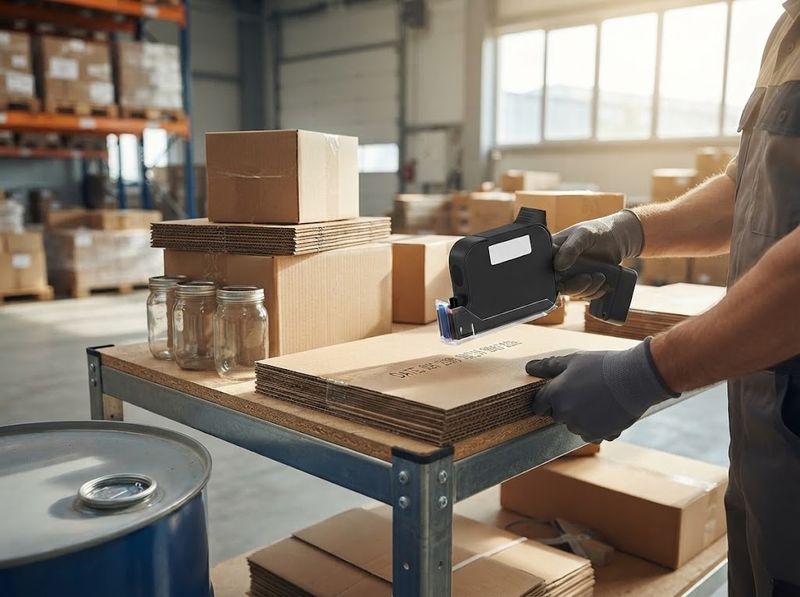
Close-up of a freshly printed black date code on a corrugated carton, gloved h

Stack the Next Carton Before the Ink Looks Wet

Ink from the 42 ml solvent cartridge flashes off in 2 to 5 seconds on non-porous plastic and metal. Code a carton, slide it down the bench, and drop the next box on top without a smear line across the number. Water-based ink would still be open at that point.

  • Slide a coded carton onto the pallet twenty seconds later and the number is still crisp.
  • Solvent carriers flash off instead of soaking in, which is why glass and metal hold the print rather than beading it away.
  • Damp gloves lift a water-based print; this cartridge is rated waterproof and abrasion-resistant through handling.
See the H05B cartridge
Side-by-side of a handheld coder on a packing bench and a mounted conveyor cod

Know What This Printer Isn't Built For Before You Order

Mark 800 jars across a morning shift with one trigger pull each and the H50 keeps pace to the last tray. Push that same job onto a belt running 30,000 units in eight hours and the operator hand turns into the ceiling. Past that volume, a coder bolted over the conveyor marks every box that rolls under it without a hand touching one.

  • One trigger pull per code means an operator wrist sets the pace across the shift, not a belt motor.
  • Hand the printer to a second operator at the 2 p.m. changeover and output doubles without rebuilding a line.
  • USB is the only data connection here, with no Wi-Fi or Bluetooth confirmed, so carry a stick to the bench for a mid-shift artwork swap.
Compare specs on the H50
Two warehouse operators handing over a handheld inkjet printer at shift change

Hand the Same Printer to a Three-Language Shift Team

A 4.3-inch touchscreen switches the H50 menu between 25 languages, so the second-shift operator reads it in their own. Nothing changes on the hardware side: same cartridge, same trigger, same saved date field. A supervisor imports the logo once over USB and every shift after that prints it.

  • Swap operators at 4 p.m. and the menu language changes in a few taps, not a firmware reflash.
  • Saved fields hold the date and lot layout, so a new operator prints the same code without rebuilding it.
  • Where a rebadged unit ships an English-only menu, the language list sits on this device itself.
See the 3-cartridge case

From USB Stick to Printed Carton

Loading a new date code takes a USB stick, the 4.3-inch touchscreen, and one pass of the 300-nozzle head.

  1. 1

    Import the File

    Drop a TTF, PNG, JPG, or BMP file onto a USB stick and plug it into the port.

  2. 2

    Pick It on Screen

    Tap the design on the touchscreen, set the print height, then switch the menu into any of 25 languages.

  3. 3

    Pull the Trigger

    Hold the head flush against the carton, squeeze, and the spray plate lays the code at 600 dpi.

The Coder Built for the Shop Without a Fixed Line

EzyHand handheld coder and ink cartridges on a workbench

Set the printer against a curved aluminum drum, pull the trigger, and the lot code lands in one pass. No fixed line, no jig, no waiting three weeks on a label supplier. Solvent ink sets in 2 to 5 seconds, so your next carton stacks on top of the last one without a smear line.

Handheld coder pages all promise quick-dry ink, so EzyHand prints the seconds, the nozzle count, and both warranty terms on the spec line you read before ordering. One of those terms runs out first, and it belongs to the cartridge you reorder rather than the printer you keep.

Order a spare and check the code on the box: only the H05B cartridge seats in the H50 body, model series H50, model FB20. A bargain third-party refill will not lock into the carrier, so it sits unused on the shelf beside the printer. Type handheld coding machine, portable batch coder, or expiry date printer into a search bar and the same tool comes back each time. Set the print height to 12.7 mm and your date code lands the same size as the ones already stamped on incoming stock.

A small-batch sauce producer marking 400 jars a week moved off pre-printed labels entirely. The same cartridge codes a curved glass shoulder in the morning and the shipping carton that afternoon. That owner now reorders ink against a yield count instead of waiting three weeks on a label supplier.

The full brand record

Who the H50 Is Sized For

Line workers, small-batch food producers, warehouse packers, and sellers who outgrew a marker: the shops the H50 was sized around.

The Line Worker Boxing 200 Cartons Before Lunch

Two hundred cartons in a morning means a code roughly every ninety seconds, one-handed, while the other hand holds the flap down. Trigger, lift, next box. Battery runtime outlasts the shift and the shift after it.

The Small-Batch Producer Marking Jar Lids by Hand

Forty jars of sauce, each needing a batch code on a curved glass shoulder. A label sheet wrinkles across that curve, while a sprayed code follows it and sets before the jar goes in the case.

The Warehouse Packer Who Inherited an Older Fixed Coder

The mounted unit still runs, but only on the one line it was bolted to years ago. Marking a pallet over in aisle six now means carrying the code to the pallet instead of the pallet to the code.

The Online Seller Who Outgrew Sharpie and Label Sheets

Hand-written lot numbers stop scaling somewhere around the fiftieth order of the week. A saved date field and one trigger pull print the same clean code on every box that goes out.

Where the H50 is the wrong tool

  • Not the right fit for a continuous high-volume line printing tens of thousands of identical codes per shift, where a fixed industrial coder holds up better under the load.
  • Skip this if your workflow needs wireless data hand-off mid-shift: the H50 connects over USB only, with no Wi-Fi or Bluetooth confirmed in its specification.

Spec by Spec Against the Category Norm

Resolution, battery hours, nozzles, connectivity, warranty, and menu languages, including the one row where the H50 trails.

Published EzyHand H50 figures beside what handheld coder listings state as a group.
SpecEzyHand H50Typical handheld coder
Print resolution 600 x 600 dpi 600 dpi claimed on most pages, print method rarely stated
Battery per charge 16+ hours continuous 8 hours is the common published floor
Nozzle count 300-nozzle head, published rarely disclosed anywhere in the category
Connectivity USB only, no Wi-Fi or Bluetooth confirmed most competing units add Wi-Fi or Bluetooth
Warranty 1 year body, 3 months cartridge, split out one term quoted, body and consumable rarely separated
Menu languages 25 on the device multi-language claimed, exact count seldom stated

What Buyers Check Before Ordering a Handheld Coder

Check the ink lock, the dried nozzle, the smudge test, and the volume ceiling against the EzyHand spec before you order.

The worryWhat the spec sheet answers

Ink That Stops Working Unless You Keep Paying

Seat the sealed 42 ml solvent cartridge, pull the trigger, and it keeps printing until the ink runs dry. Wake the touchscreen at the start of a shift and no login prompt stands between your thumb and the first code. Buyers who lost a week to a cartridge that went dead on another tool read this line first.

no subscription or activation field appears in the product data

The Nozzle Dries Out Between Jobs

Pull the cartridge when the shift ends and cap the nozzle before it sits. The maintenance sheet says the same, and a clogged head clears with an alcohol wipe. Two weeks left open without the cap is where the real trouble starts.

Codes That Rub Off Between the Dock and the Customer

Drag a thumb hard across a coded carton after it has ridden a pallet through a full warehouse shift, and the lot number still scans. Solvent ink bonds onto non-porous plastic and metal instead of soaking in, so the truck ride scuffs the board and leaves the digits alone. Flick water across the code before it ships and the print stays put, rated waterproof and abrasion-resistant.

Volume That Outgrows a Handheld Trigger

Hand the printer to one operator on a packing bench and a few thousand codes move across a shift without a hitch. Point that same trigger at a belt feeding tens of thousands an hour and the operator wrist becomes the ceiling. Count your peak-day volume on a busy week first, then decide which side of that line your bench sits on.

Two Warranty Terms Arriving in One Box

Open the box and two coverage clocks start at once, one on the printer body and a shorter one on the ink cartridge. Mark both dates on the same calendar page, because the cartridge falls out of coverage months before the body does. Fire twenty test codes onto scrap board inside the retailer return window, before a production run depends on the trigger.

Two coverage clocks, a documented return window through the retailer, and a trigger you can test on scrap board the day it lands. Pick the body or the bundle.

Day 1 to Year One on the Same Body

Unboxing, the first USB import, the first capped nozzle, and where a 42 ml cartridge still stands after 12 months of carton marking.

  1. Day 1

    Charge the body over Type-C, drop a TTF date file onto a USB stick, and fire a test code onto scrap cardboard. Run that test inside the retailer's return window, so a unit that arrives dead goes back rather than into a drawer.

  2. Week 1

    The first 42 ml cartridge is barely down. A few hundred cartons a day at 12.7 mm height leaves most of the yield unused. The charger stays in a drawer all week.

  3. Month 1

    Capping the nozzle at the end of each shift becomes the habit that matters. Ink left open across a long gap is what clogs a head, and an alcohol wipe clears it when it happens.

  4. Year 1

    The body is still inside its 1-year manufacturer term. Coverage on each cartridge ran out at three months, so a nozzle question that far out is a consumable matter rather than a warranty claim.

Ready for Day 1? The H50 body ships on its own, or in the case with three sealed cartridges beside it.

Ink, warranty terms, and the volume ceiling

Dry time, cartridge lock-in, nozzle care, warranty split and the shift volume where a handheld trigger stops keeping up.

What does a handheld inkjet printer actually do?

A handheld inkjet printer sprays date codes, lot numbers, barcodes, QR codes, and logos directly onto packaging rather than onto paper. The H50 does that on plastic, carton, metal, wood, glass, aluminum, foam, and curved surfaces. A battery and a trigger replace the fixed conveyor mount. Shops reach for one where a mounted coder would be oversized for the volume.

Who is the H50 built for?

Small and mid-size packers marking a few hundred to a few thousand codes per shift are the fit here. Food producers dating jars, warehouses coding outbound cartons, sellers who outgrew a marker pen. An operator holds the printer and pulls the trigger, so throughput follows hand speed. A continuous line running tens of thousands of identical codes wants a fixed coder instead.

What else is this kind of printer called?

Handheld coding machine, portable batch coder, and expiry date printer all describe the same tool. Terminology shifts by industry: packaging teams say batch coder, food producers say date printer, warehouse buyers say handheld inkjet. The category is one and the same, and 12.7 mm print height is its common standard.

Why choose a handheld coder over pre-printed labels?

Pre-printed labels have to be ordered ahead, which locks a date format in weeks before the product exists. A coder prints the real date onto the box the morning it ships, and adds a lot number per batch without a new label run. Labels also lift on curved glass and cold surfaces where sprayed ink stays put.

What problem does a handheld printer solve that a fixed one cannot?

Reach. A fixed coder marks whatever passes the single line it is bolted to. A handheld unit walks to a pallet in aisle six, a drum out in the yard, or a customer's dock, and codes it where it stands. That mobility is the whole reason this category exists.

Is it worth it if I only mark a few hundred boxes a month?

Low-to-moderate volume is exactly the band a handheld coder is designed around. A few hundred boxes a month leaves a 42 ml cartridge barely touched, since one cartridge clears tens of thousands of barcodes at 12.7 mm height. The realistic alternative at that scale is hand-written codes or a label order that lands weeks ahead of the product.

What comes in the box?

The printer-only order ships the H50 body, one black fast-dry cartridge, a detachable auxiliary roller, a metal positioning plate, a Type-C charging cable, and a protective case. The bundle configuration swaps in three cartridges instead of one. Nothing further is needed to print a first code; a USB stick only matters for importing custom artwork.

What print height does it support?

12.7 mm, which is 0.5 inch, and that is the standard across most of this category. Codes at that height match what receiving teams and scanners already read on incoming stock. Smaller text runs down to around 2.5 mm, which is where the highest cartridge yield figures come from.

What resolution does it print at?

Up to 600 x 600 dpi, sprayed through a 300-nozzle head. That holds a barcode readable at 12.7 mm height and keeps a logo free of stepped edges. Nozzle count is the part most competing pages leave out, and it is what keeps small text legible instead of dotty at speed.

How long does the battery last?

Over 16 hours of continuous operation per charge, which covers two full shifts of carton marking in most packing rooms. Charging runs over the included Type-C cable. Buyers marking a few hundred codes a day describe the charger staying in a drawer for most of the week.

Can I run a full 8-hour shift without recharging mid-run?

16+ hours of continuous runtime is the published figure, so an eight-hour shift finishes with runway to spare. Intermittent marking draws less than continuous printing, so a normal packing day sits well inside that window. Charge overnight and the mid-shift cable hunt drops out of the routine.

How big is the printer body?

8.27 in deep, 1.65 in wide, and 5.12 in tall, sized to be held in one hand with the other free to steady a box. A wrist strap ships in the box for the same reason. Published weight figures conflict between sources, so confirm the shipping weight on the current listing before ordering for a specific carry setup.